Fast avatar creation
Start with the main square face generator and build a cute square icon without a complicated workflow.
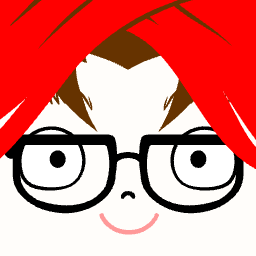
Free Avatar Maker • Cute Square Icons • Instant Fun
Make a cute avatar in seconds with our Square Face Generator. Create the perfect square pfp for Discord, TikTok, or profile pages with easy face customization and playful square icon styles.
Main Generator
Use the main Square Face Generator below to design a playful square face icon for social media, gaming, communities, or personal branding. If you want a square face generator pfp with simple controls and fast results, this is the best place to start.
Square Face Generator helps you turn simple ideas into a fun, expressive avatar. Whether you want a square face generator pfp for Discord, a cute icon for your social account, or a playful avatar for a community profile, the homepage tool gives you the fastest path to start creating.
If you have been searching for a square pfp generator that feels quick, visual, and easy to use, this site is designed to give you a clean starting point. Build your main avatar here, then explore extra tools, style packs, and face-shape guides for more options.
A lot of avatar makers feel crowded or confusing when all you need is a simple place to build a memorable profile image. This homepage keeps the focus on the main editor so you can experiment with shapes, expressions, and details without getting lost in a complicated workflow.
The goal is simple: help you create a square face icon that looks fun at full size and still reads clearly when it becomes a tiny profile picture. That matters if you want to use your finished image on Discord, TikTok, community pages, game profiles, or creator accounts where small icons need to stand out quickly.
Because the main experience lives right on the homepage, you can start with a broad idea, test a few different looks, and save the version that fits your style best. If you want something cute, neat, playful, retro, or hand-drawn, the main generator gives you a flexible base before you move into more specialized pages.
Start with the main square face generator and build a cute square icon without a complicated workflow.
Create profile images that look great on Discord, forums, creator pages, or small social avatars.
Explore themed pages for Picrew-like looks, retro filters, and future tool variations from the same homepage.
Use your finished square face icon for profiles, stickers, mockups, community events, and simple game concepts.
The homepage focuses on the most useful starting point: a general-purpose Square Face Generator that works well for everyday profile pictures and playful icon making. If all you want is a square pfp generator that is easy to open and use, the main tool is the fastest option.
If you want something more specific, this site will also branch into extra sections. You will be able to explore a face-shape guide and detector, a Picrew-style square face experience, and a retro museum-style page for nostalgic low-fi looks. That way the homepage stays simple while deeper pages serve more specific interests.
For many users, the best homepage is the one that gives them a working result quickly. That is why the main editor takes priority over long explanations. You can open the generator, try different face combinations, switch details, and settle on a look that feels right before you read anything else. The supporting sections are here to help, not to interrupt.
This also makes the homepage a better landing point for people who search with different intent. Some people arrive looking for a square face generator. Others want a square pfp generator for a social platform. Others may search for a square face generator pfp because they already know the exact type of icon they want to make. The homepage is written to serve all of those needs without forcing users through a long tutorial before they can create something.
If you are still deciding on the style you want, start with a simple face and a readable expression. Then test hair, small accessories, and color choices that keep the icon balanced inside a square frame. This usually creates the best result for profile pictures because the final image remains clear even after platforms crop or scale it down.
You can also think about where your avatar will be used. A Discord profile image may benefit from a bold outline and higher contrast. A softer social avatar might look better with gentler shapes and calmer colors. A community icon can lean more playful or exaggerated. The advantage of a general homepage editor is that it lets you explore those directions without leaving the page.
As the site grows, the homepage will stay the main all-purpose tool. The extra pages are meant to support specific interests: learning whether you have a square face shape, exploring a Picrew-like preset workflow, or enjoying a nostalgic visual direction. Those pages are useful, but the homepage remains the fastest place to build, test, and save a flexible avatar.
Start with the silhouette first. Before you worry about tiny details, make sure the overall face shape, hair outline, and expression feel readable. A strong silhouette helps your square face avatar look better at small sizes and makes the finished icon easier to recognize in a chat list or profile grid.
Use contrast carefully. If your face and hair colors are too similar, the icon can feel flat or harder to read. A small amount of contrast between major shapes often improves the final result more than adding lots of extra features. This is especially useful when you want a square pfp generator result that still looks clear on mobile screens.
Avoid overloading the design. It is tempting to use every available option, but many good avatars work because they stay simple. One or two strong details, such as a distinctive hairstyle, facial expression, or accessory, usually create a more memorable icon than a crowded design with too many competing elements.
Think about personality, not just decoration. A square face generator pfp works best when it captures a mood. You might want your icon to feel cheerful, calm, mischievous, confident, or cute. If you decide on that feeling first, your styling choices become easier and the final result feels more consistent.
Save a few variations before choosing your favorite. One version may work better for a gaming profile, while another may feel more suitable for personal branding or a casual social account. Testing multiple looks is one of the easiest ways to get more value from a homepage generator without making the experience more complicated.
Finally, preview your avatar mentally at a smaller size. If the face still feels balanced, readable, and expressive, you are probably close to a strong final result. That is the real advantage of using the homepage as your main square pfp generator: fast experimentation with results you can actually use right away.
Square Face Generator is an online tool for creating cute square-style face icons, profile pictures, and playful personal avatars. It is designed to be a quick starting point for users who want to open a page, customize a character, and leave with a usable square pfp without learning a complicated editing system first.
Yes. The homepage tool is designed to work well as a square pfp generator for Discord, creator profiles, community avatars, and other small image uses. The layout, square format, and quick customization flow all support the kind of image that needs to look good when scaled down into a profile slot.
A square face generator pfp works well for profile photos, chat apps, community spaces, fun brand mascots, and low-pressure creative projects. It is especially useful when you want a profile image that feels custom and playful without spending time in a full illustration or photo editing tool.
Yes. The site is planned to expand with a face-shape detector, Picrew-style presets, retro museum-style effects, and more themed generator experiences. The idea is to keep the homepage useful as the main editor while adding specialized pages for users who want a more guided, educational, or style-specific experience.
Upload a photo, learn if you have a square face shape, and compare it with round and long face examples.
Open pageTry a more hand-drawn, preset-driven square face icon style inspired by Picrew-like customization.
Open pageOpen a retro-flavored page focused on nostalgic, low-fi square face visuals and old-school interface vibes.
Open pageRead practical guides about square face shape, icon styles, and choosing the best look for your avatar.
Open pageOpen Project Sekai Sticker for fast sticker-style creation and themed character image ideas.
Open pageVisit Bulls and Cows Game for a simple browser puzzle with classic number-guessing gameplay.
Open pageGo to Thwordle for a word puzzle experience focused on quick rounds and daily play.
Open page